
Tenemos varias forma de ver la licencia en Windows 10, desde el registro de windows o desde PowerShell
Opción 1 REGEDIT
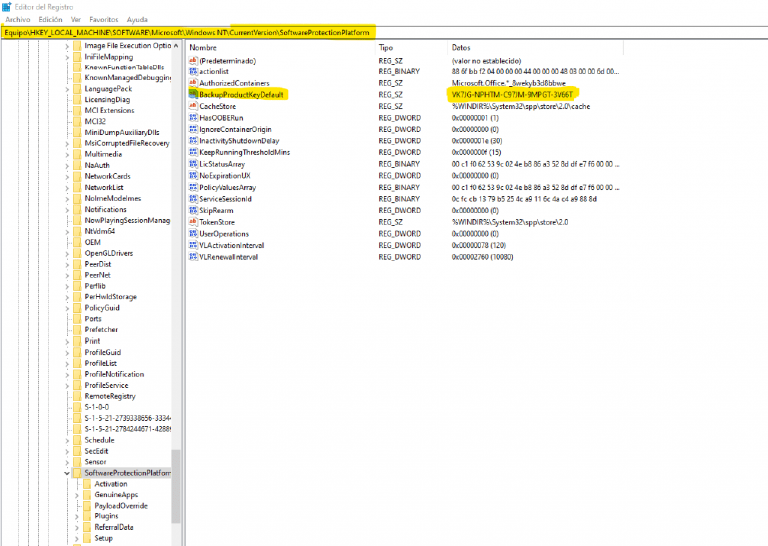
Acudiendo al registro del sistema
HKEY _ LOCAL _ MACHINE / SOFTWARE / Microsoft / Windows NT / CurrentVersion / SoftwareProtectionPlatform y en lista de variables buscamos «BackupProductKeyDefault». Ahí debería estar.
Ejecutando PowerShell
introduciendo lo siguiente: powershell «(Get-WmiObject -query ‘select * from SoftwareLicensingService’).OA3xOriginalProductKey».
